# Bật tắt món tại cửa hàng (web/app)

## **A. Thao tác trên máy tính**

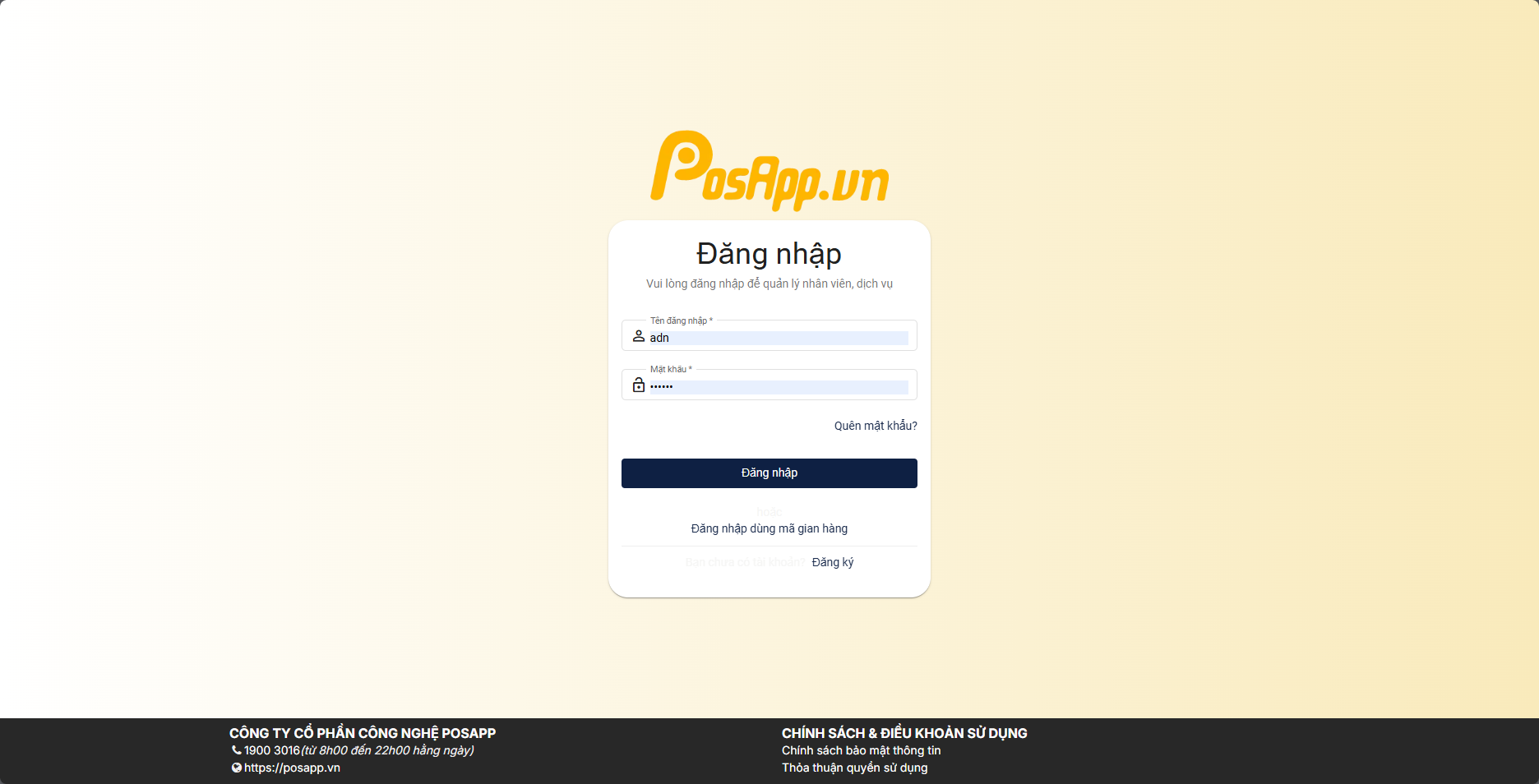
**Bước 1: Truy cập** [**Admin.posapp.vn**](https://admin.posapp.vn/) **tiến hành đăng nhập**

<figure><img src="https://content.gitbook.com/content/Gu5oyTfAF1pzDKa0KLxL/blobs/XfYMKGcWuHeXqFo6dqTc/image.png" alt=""><figcaption></figcaption></figure>

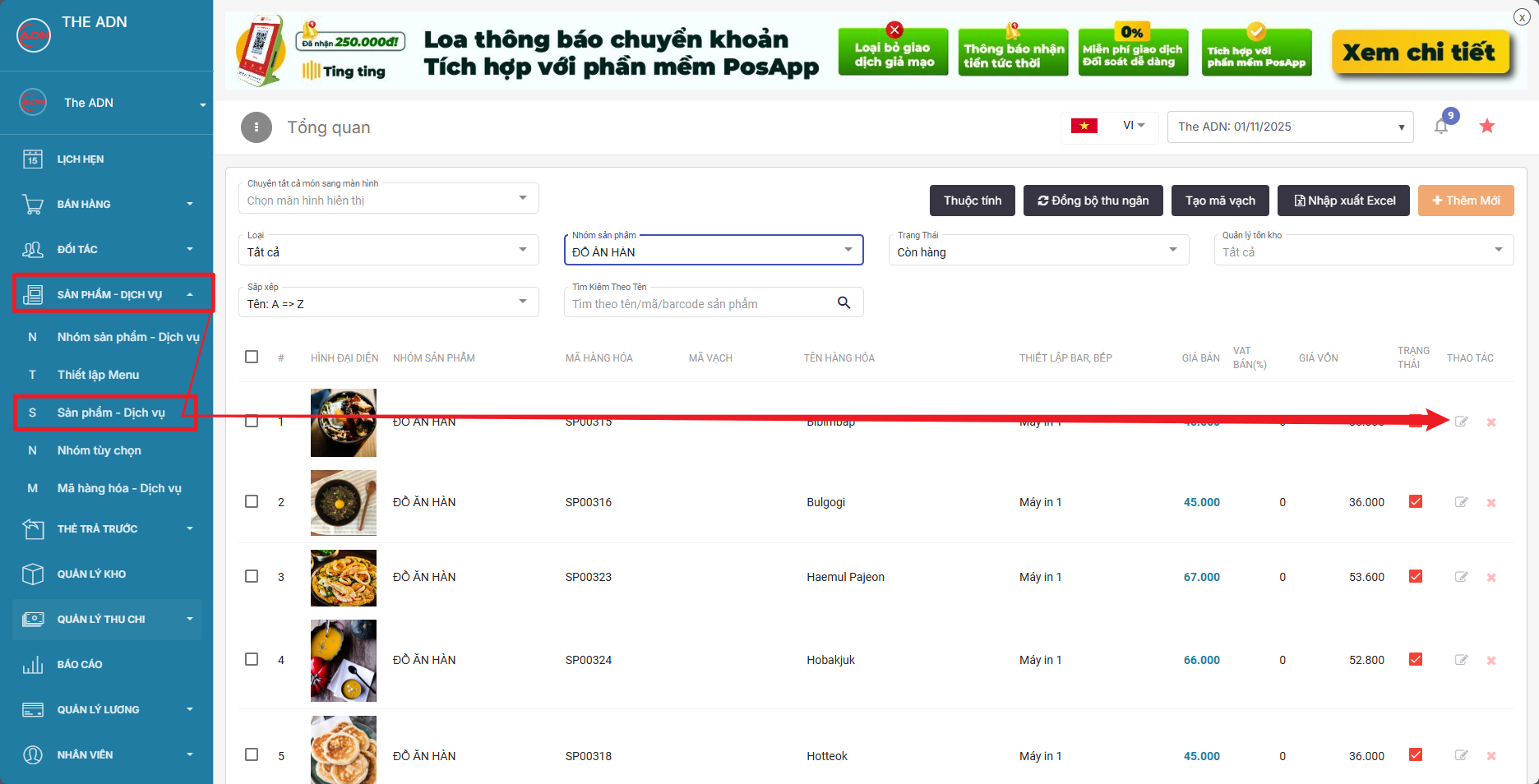
**Bước 2: Chọn sản phẩm dịch vụ > sản phẩm dịch vụ > và ấn chỉnh sửa món mà muốn tắt bán tại cửa hàng**

<figure><img src="https://content.gitbook.com/content/Gu5oyTfAF1pzDKa0KLxL/blobs/V2SNqSAG7WuUOAV0fXGL/image.png" alt=""><figcaption></figcaption></figure>

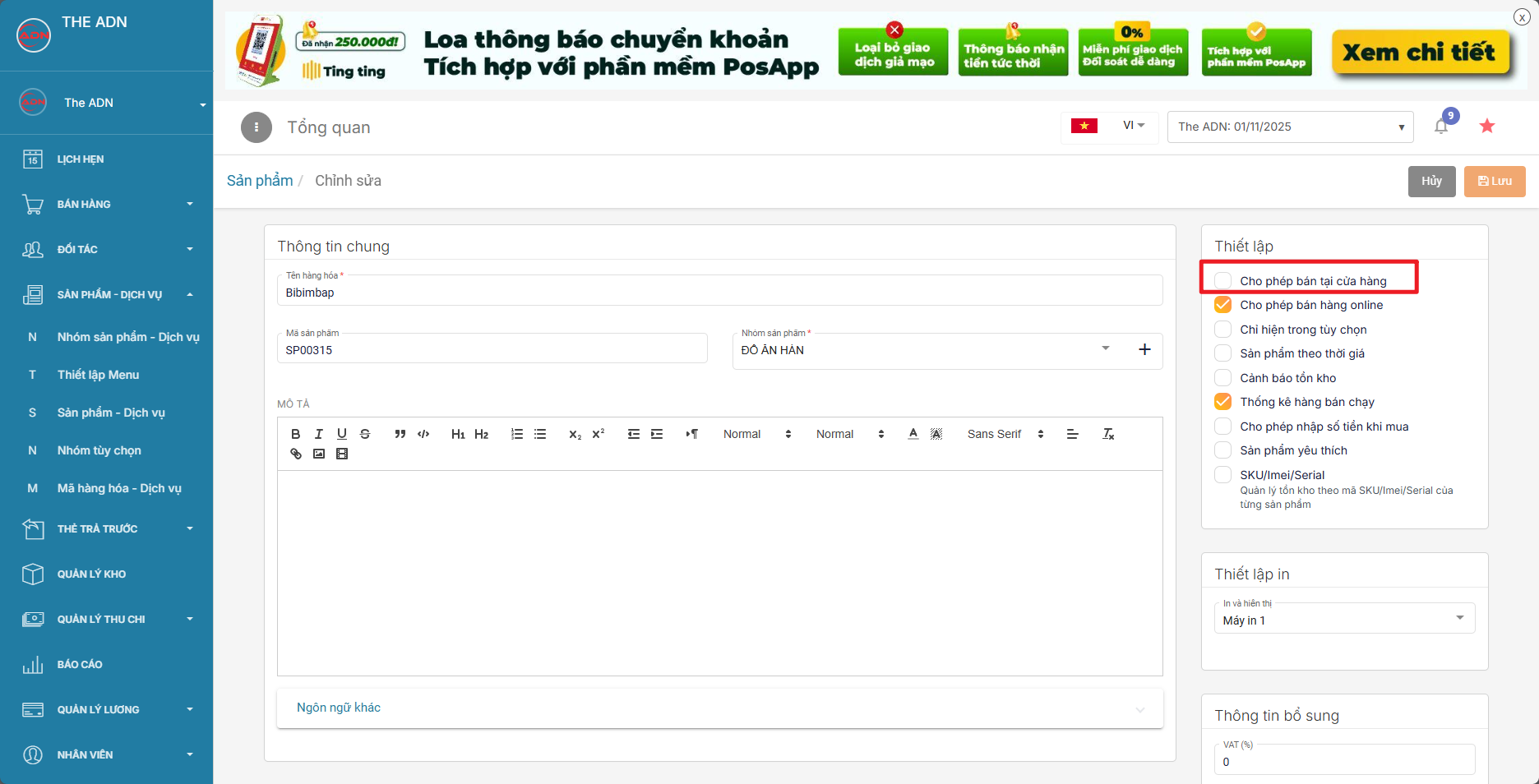
**Bước 3: Tại màn hình bấm tắt/bật cờ "cho phép bán tại cửa hàng" thì sản phẩn đó sẽ ẩn/hiện tại máy bán hàng nữa .**

Lưu ý: cờ cho phép bán hàng online sẽ ẩn sản phẩm đó khỏi các kênh bán hàng online

<figure><img src="https://content.gitbook.com/content/Gu5oyTfAF1pzDKa0KLxL/blobs/sa87YYNd0DVcoK0V8TKC/image.png" alt=""><figcaption></figcaption></figure>

**Bước 4: Lưu lại là tắt/bật món thành công**

## **B. Thao tác trên điện thoại**

**Bước 1: Tải và đăng nhập ứng dụng theo hướng dẫn** [**TẠI ĐÂY**](https://hdposapp.gitbook.io/posapp/posapp-quan-ly/dang-nhap-dang-xuat-posapp-quan-ly)

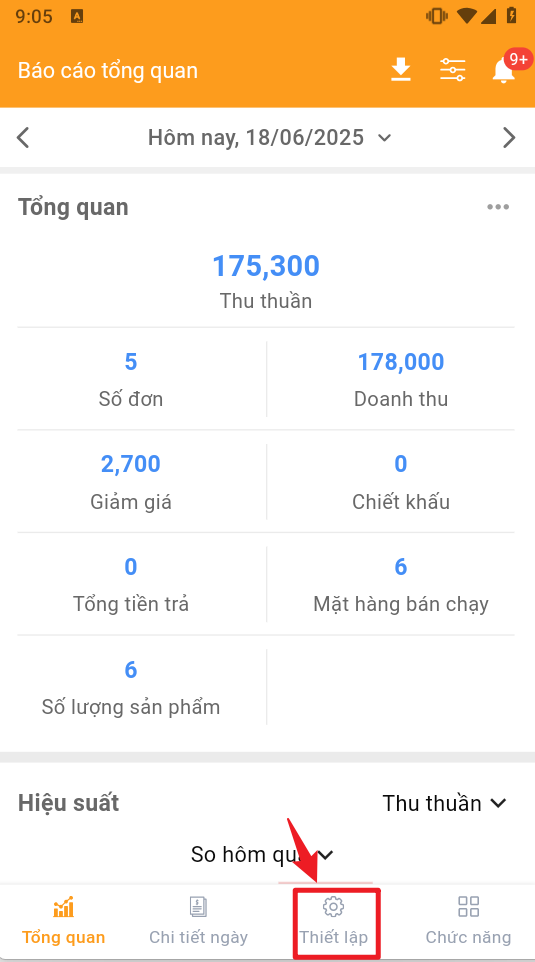
**Bước 2: Tại giao diện chính chọn thiết lập**

<figure><img src="https://content.gitbook.com/content/Gu5oyTfAF1pzDKa0KLxL/blobs/Vz2obRTwUGu5DTLQCzFU/image.png" alt=""><figcaption></figcaption></figure>

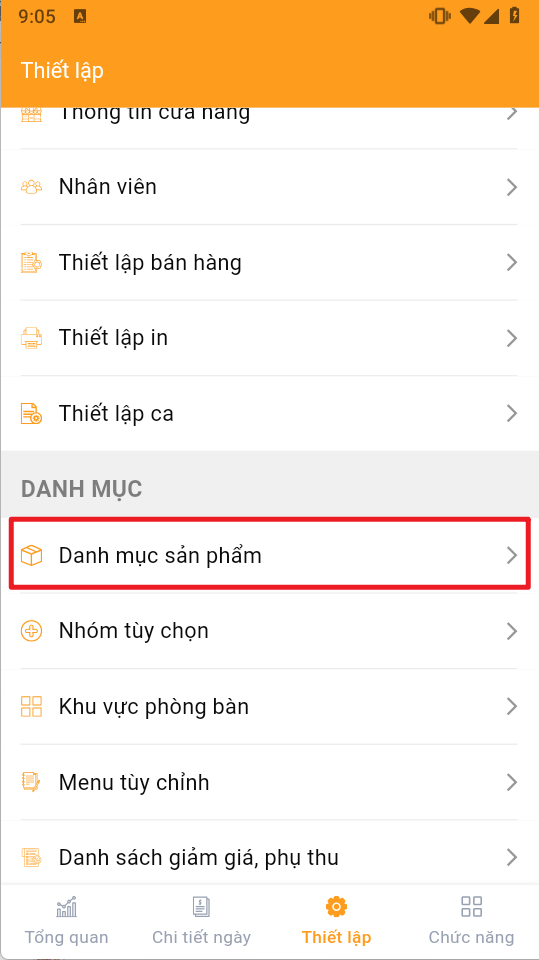
**Bước 3: Tìm chọn danh mục sản phẩm**

<figure><img src="https://content.gitbook.com/content/Gu5oyTfAF1pzDKa0KLxL/blobs/dtxX3xBpwoaHNP1gPg7e/image.png" alt=""><figcaption></figcaption></figure>

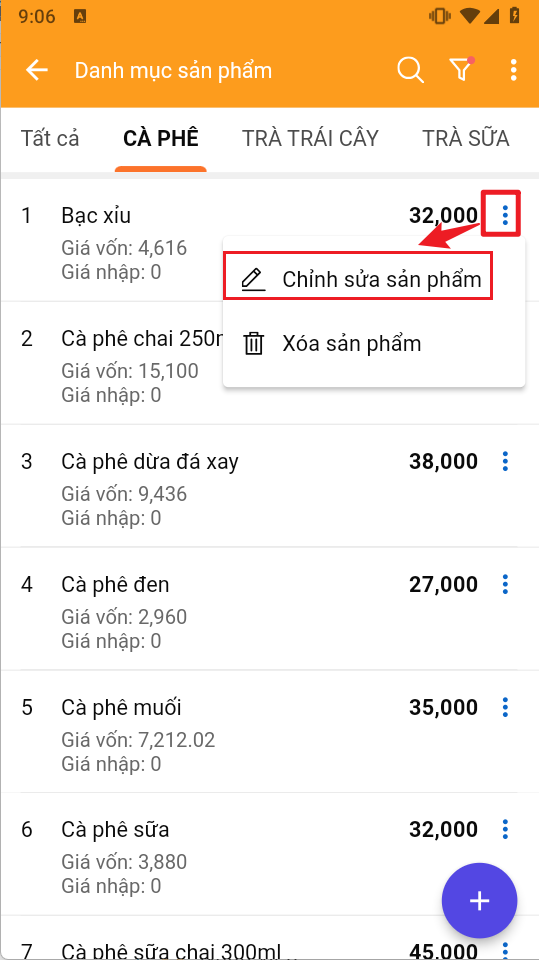
**Bước 4: Tìm tới sản phẩm cần bật/tắt ấn dấu 3 chấm > chọn chỉnh sửa sản phẩm**

<figure><img src="https://content.gitbook.com/content/Gu5oyTfAF1pzDKa0KLxL/blobs/KYlJIiVIqSQGLzyfVw5i/image.png" alt=""><figcaption></figcaption></figure>

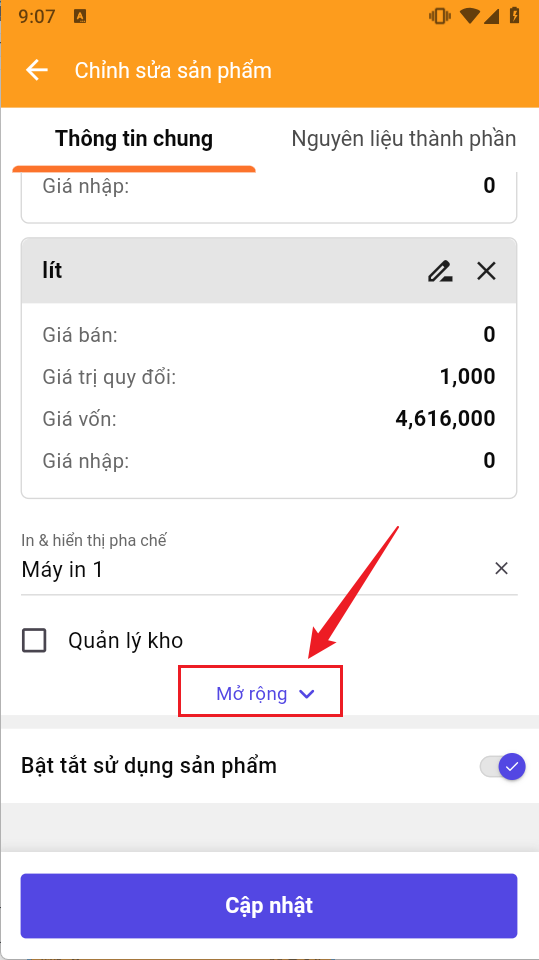
**Bước 5: Kéo xuống ấn vào chữ Mở rộng**

<figure><img src="https://content.gitbook.com/content/Gu5oyTfAF1pzDKa0KLxL/blobs/CKerMuMLFxLA393CgaW2/image.png" alt=""><figcaption></figcaption></figure>

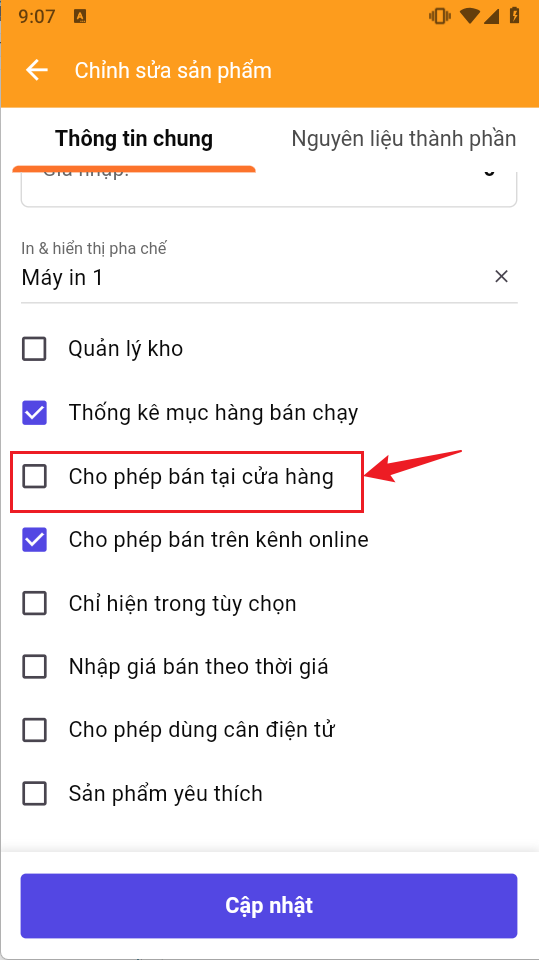
**Bước 6: Bật/tắt dòng cho phép bán tại cửa hàng > lưu lại**
<figure><img src="https://content.gitbook.com/content/Gu5oyTfAF1pzDKa0KLxL/blobs/e14tjOAkIojqEqTbi4pm/image.png" alt=""><figcaption></figcaption></figure>